AiAe Illustrator to After Effects

Vector Forge

Move vectors. Keep them editable. Start animating.

A focused Illustrator-to-After Effects workflow for motion designers who want native shape layers, clean structure, round-trip updates, and animation tools in one panel.

One-time license · one user · two computers · macOS and Windows

Editable shape layersRound-trip workflow20 focused toolsNative AE properties

Built for the work after transfer

Illustrator gives you the artwork. Vector Forge gets it ready to move.

2-wayIllustrator ↔ After Effects
20transfer, prep and motion tools
100%editable workflow where Adobe allows
$79launch price, one-time

One panel, two Adobe apps

Illustrator to After Effects vector transfer, without the flattened handoff.

Move selected artwork into the active composition, preserve the structure that matters, and keep working with real After Effects paths and controls.

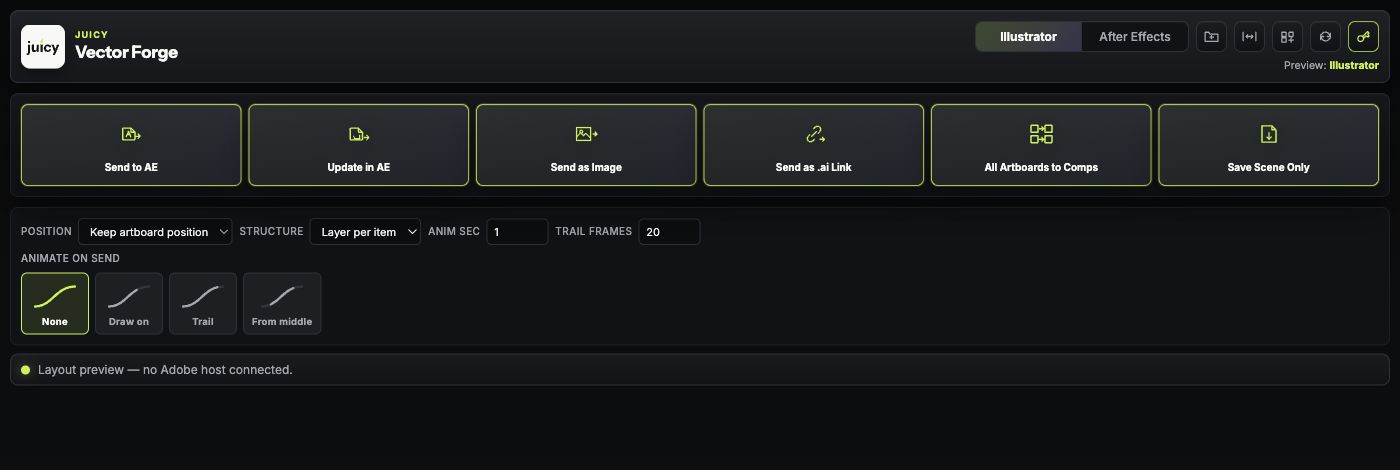
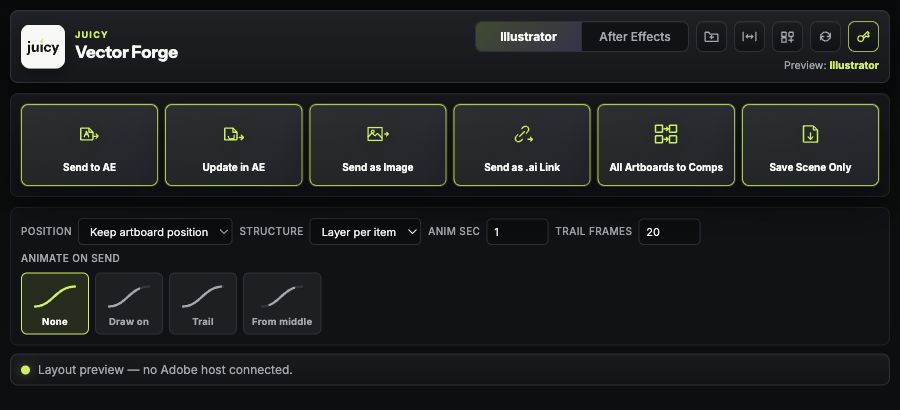
Vector Forge Illustrator panel with Send to AE, Update in AE and batch artboard controls
01 · Illustrator

Push the artwork you selected.

Send vectors, update an earlier transfer, create linked artwork, or build one composition per artboard without dismantling the Illustrator file first.

  • Artboard-relative positioning
  • Layer names and stacking order
  • Paths, fills, strokes, text and supported gradients
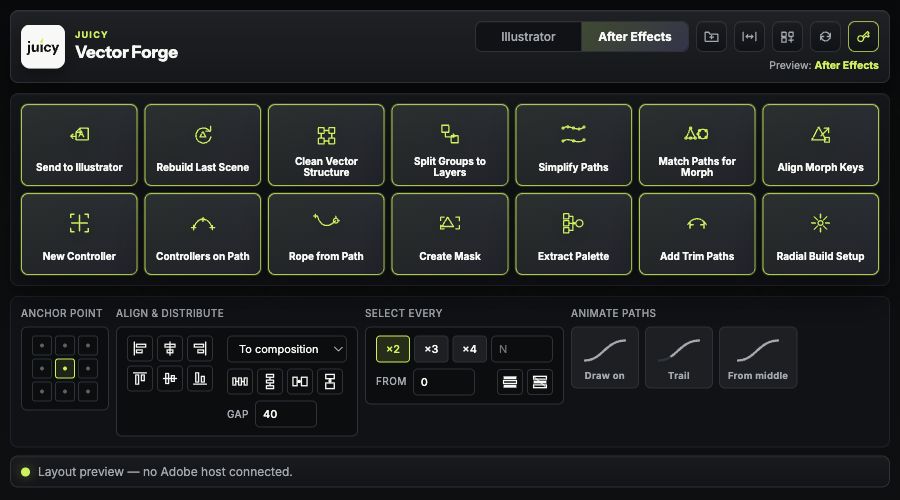
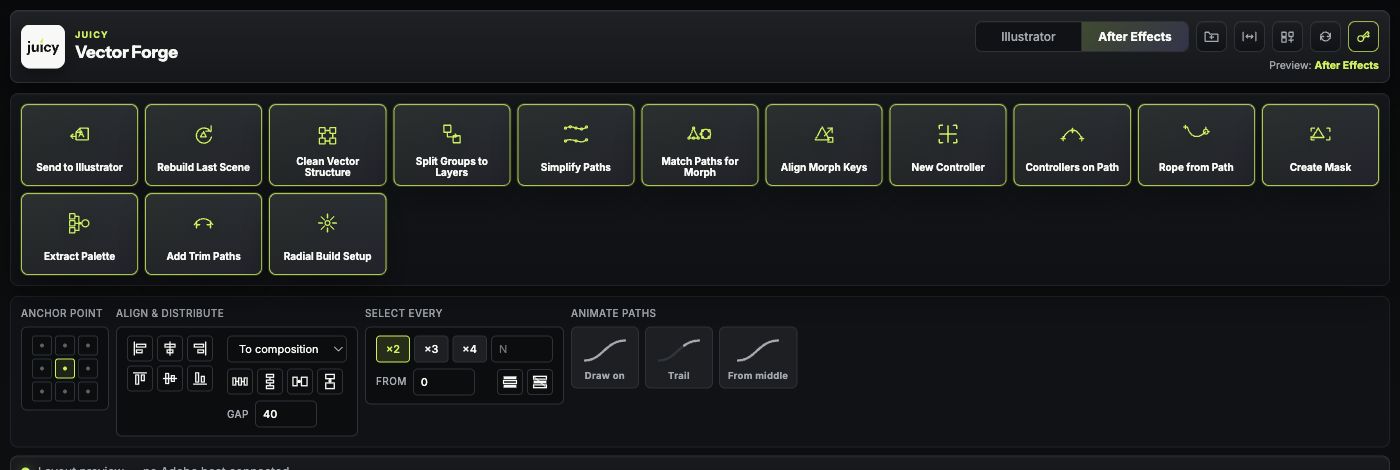
Vector Forge After Effects panel with morph, controller, palette and Trim Paths tools
02 · After Effects

Do the post-transfer work in the same place.

Clean the vector structure, prepare morphs, create controllers, extract palette controls, align layers, and add editable motion properties without opening a second utility.

  • Match and align paths for morphing
  • Controllers on path vertices
  • Trim Paths and radial repeater builds
Morph-ready

Match the geometry before animation.

Equalize vertex count, winding direction, and start points, then align path keys to reduce twists and spins.

Rig-ready

Build controls from the artwork.

Create vector controllers, attach them to path vertices, generate ropes, masks, and reusable control layers.

Motion-ready

Start with native AE properties.

Add Trim Paths, repeaters, expressions, and keyframes that remain open for manual adjustment.

The complete toolkit

Transfer is one feature. The rest is the time you get back.

Transfer

Move and update

Send to AE · Update in AE · Send as image · Send as .ai link · All artboards to comps · Send back to Illustrator

Prepare

Clean and reshape

Clean vector structure · Split groups · Simplify paths · Match paths for morph · Align morph keys · Extract palette

Rig

Build control

New controller · Controllers on path · Rope from path · Create mask · Anchor tools · Align and distribute

Animate

Create motion

Draw on · Trail · From middle · Add Trim Paths · Radial build · Repeaters · Editable easing

Launch offer

$79 one time.

Standard price $99. No subscription.

  • One user
  • Activation on two computers
  • macOS and Windows installers
  • Private license and download delivery
Buy Vector Forge — $79 One license, two computers, macOS and Windows. No subscription.

Compatibility

Made for the current Adobe desktop workflow.

Adobe Illustrator
2024 or newer
Adobe After Effects
2025 or newer
Operating systems
macOS and Windows
Current candidate
Vector Forge 3.3.1

FAQ

Vector Forge questions

What does Vector Forge do?

Vector Forge moves Illustrator artwork into After Effects as editable shape layers and adds tools for path cleanup, morph preparation, controllers, Trim Paths, radial builds, masks, alignment, and round-trip updates.

Does Vector Forge create editable After Effects shape layers?

Yes. Supported Illustrator paths, fills, strokes, text, names, layer order, and gradient geometry are rebuilt as native After Effects layers and properties instead of a flattened video render.

Can Vector Forge send paths back to Illustrator?

Yes. Selected After Effects shape paths can be sent back to Illustrator, and earlier transfers can be updated without rebuilding the entire scene from zero.

Which Adobe applications does Vector Forge support?

The current candidate targets Adobe Illustrator 2024 or newer and Adobe After Effects 2025 or newer on macOS and Windows.

How much does Vector Forge cost?

Vector Forge launches at USD 79 as a one-time license for one user and up to two computers. The standard one-time price is USD 99.

Will an aescripts license work?

A separate aescripts-compatible build is planned. It will only be announced after the official author licensing integration and Manager App flow are validated.